Japanese ASMR,
now in English
HTranslations ASMR Player transcribes your works on your own computer and shows English captions as they play.
Included from the $10 monthly tier. Already subscribed? Log in to download.
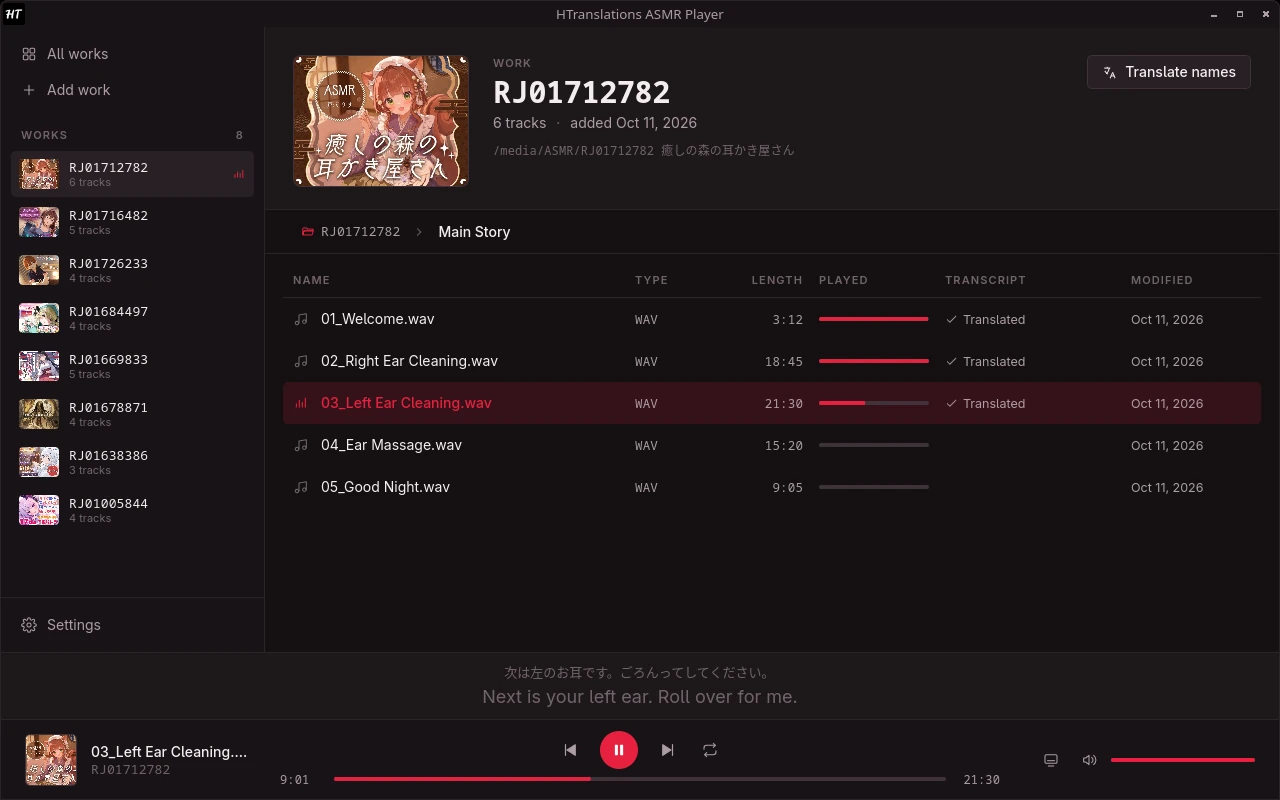
How it works
- 01
Add a work
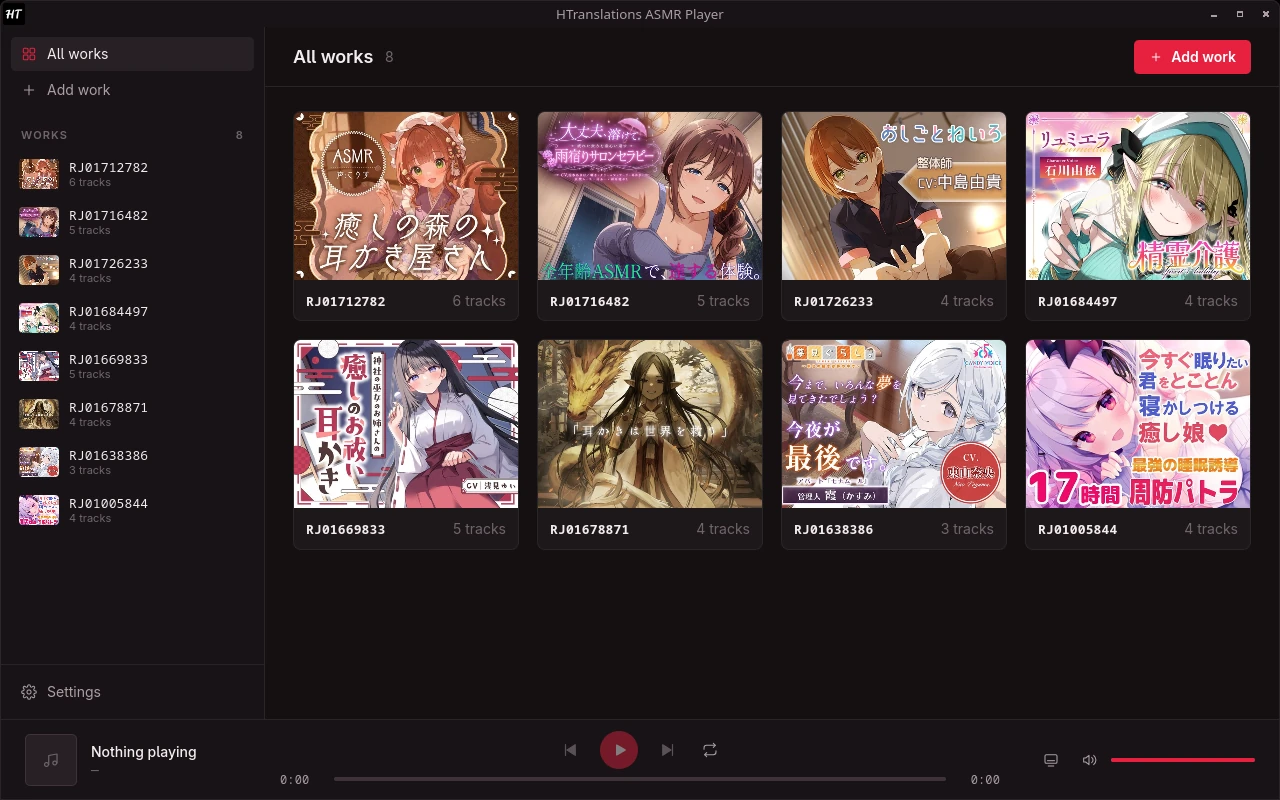
Point the player at a work's folder. The cover and track list appear in your library.
- 02
Transcribe it
The player listens to each track on your PC and writes down every line in Japanese.
- 03
Listen in English
Lines are translated into English and shown as captions while the work plays.
Captions
Read along, line by line
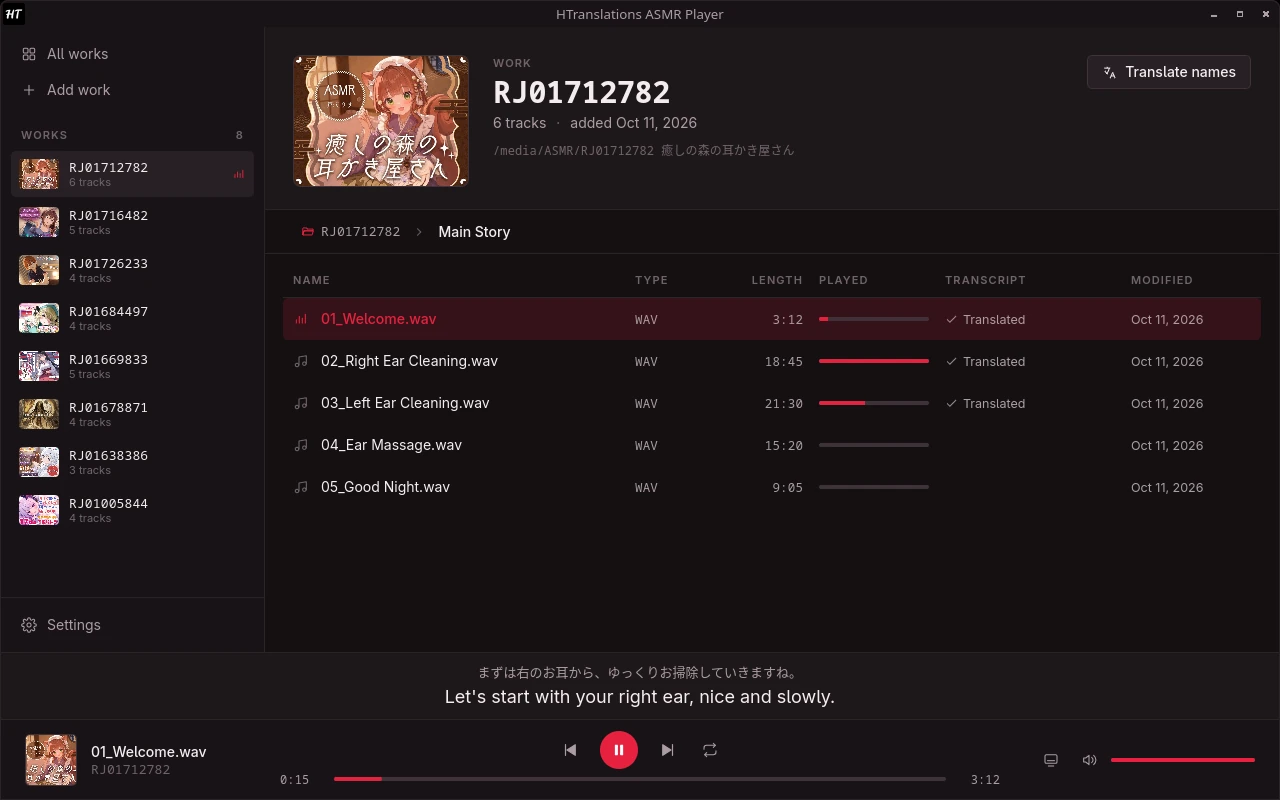
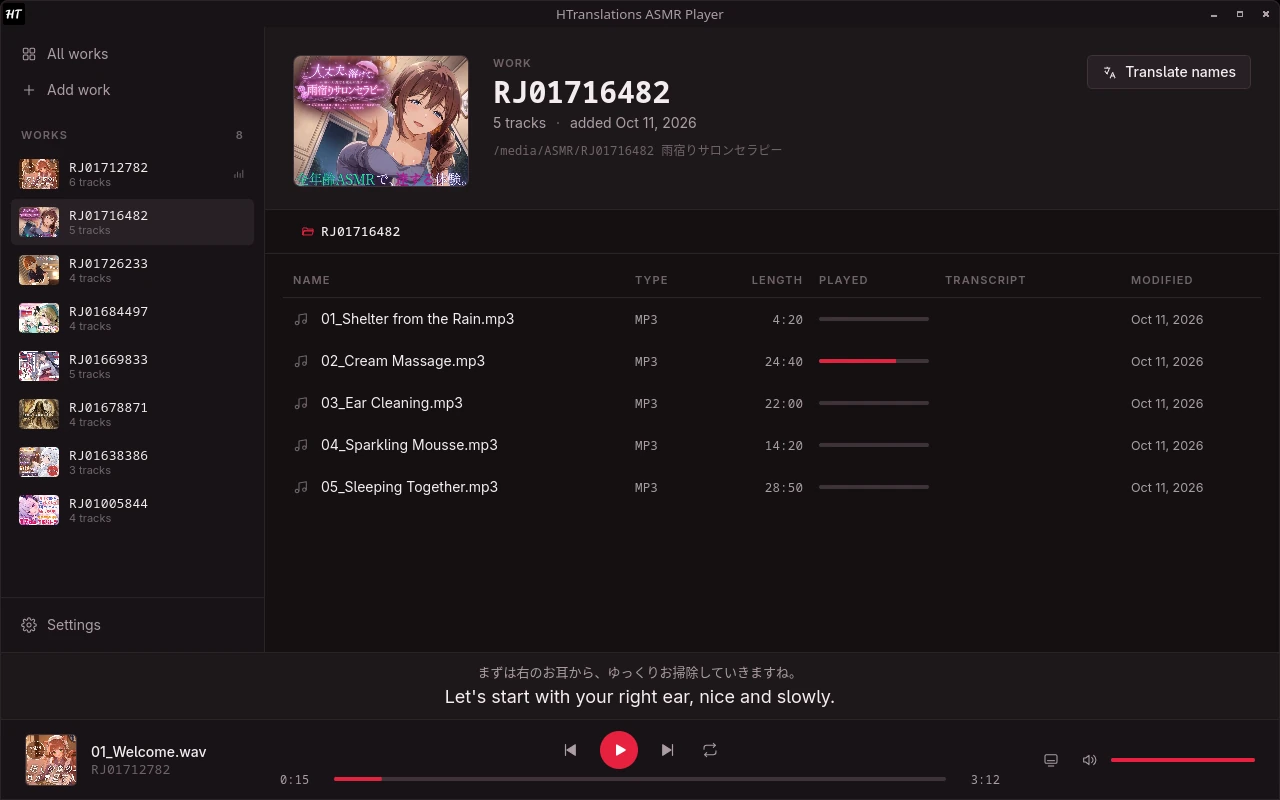
The current line appears under the player in Japanese and English, timed to the audio, so you always know what's being said.
- Japanese and English side by side
- Follows playback and seeking
- Translated by HTranslations
Transcription
Transcribed on your PC
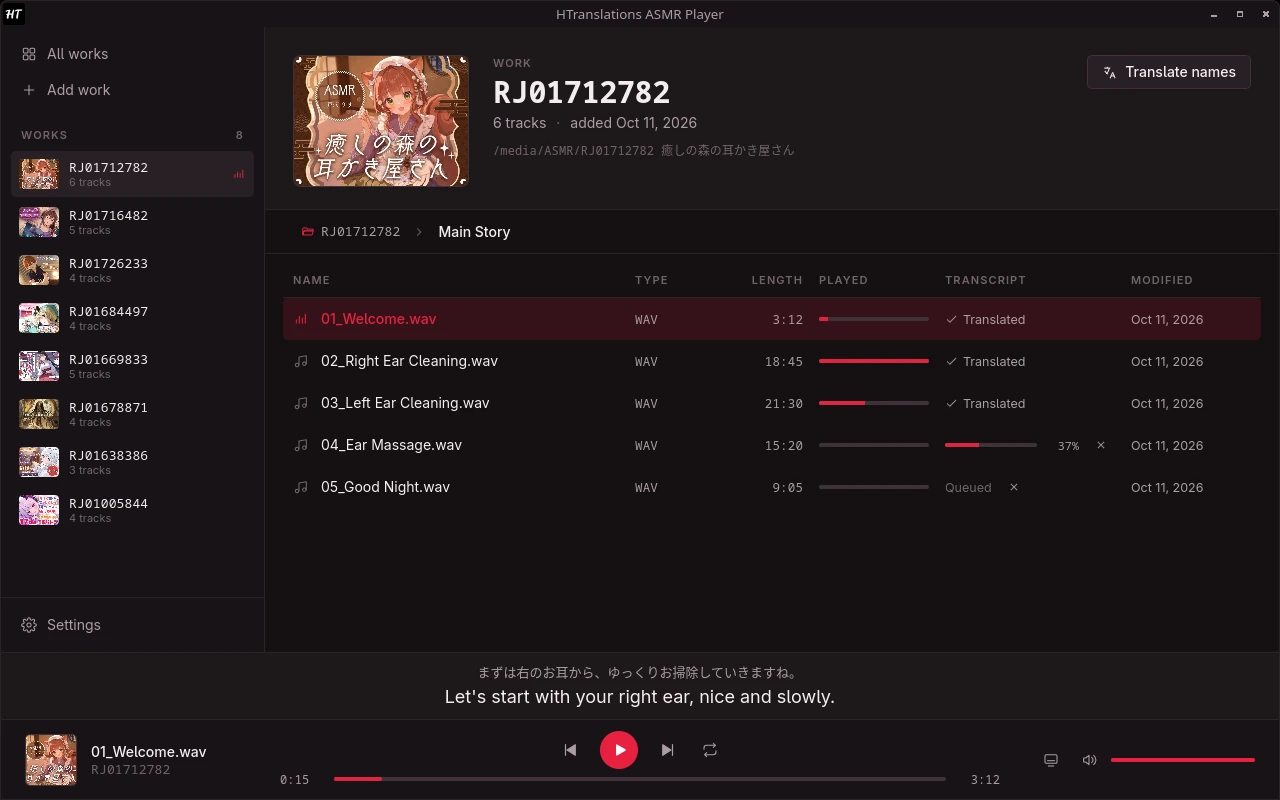
Speech recognition runs on your own computer. Queue a whole work and keep listening while it works through the tracks.
- Runs in the background
- Your audio files are never uploaded
- Progress shown per track
Overlay
Captions on top of everything
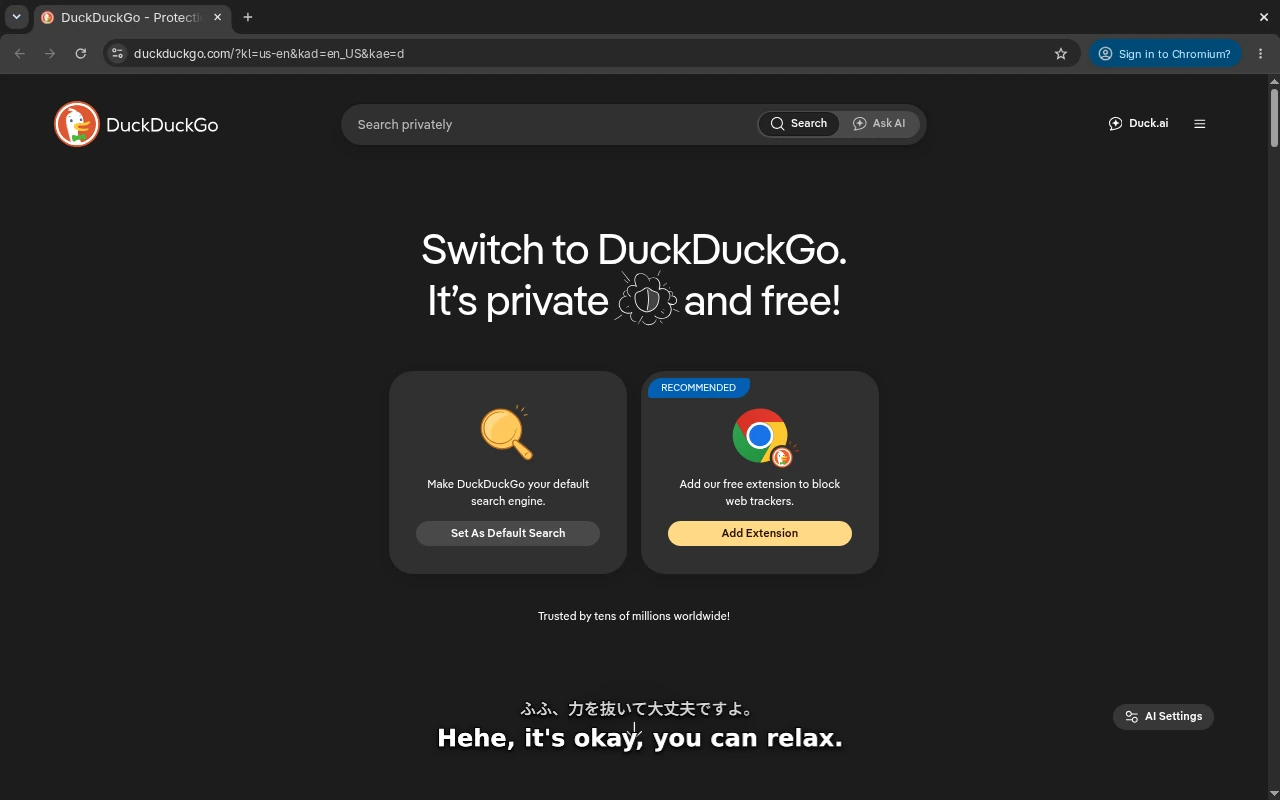
Float the captions above your other windows and keep reading while you browse, work or play.
- Stays on top of other windows
- Clicks pass straight through
- Turn it on from the player bar
Library
Your collection in one place
Every work you add gets its cover from its RJ code. Each track remembers where you stopped, so long works are easy to come back to.
- Covers fetched automatically
- Resume any track where you left it
- Plays audio and video files
File names
Know what every track is
Japanese file and folder names are translated as well, so a track list reads in English before you press play.
- Track and folder names translated
- Original name shown on hover
Runs on your PC
Transcription uses your own processor.
Audio stays local
Only text is sent, and only when you translate.
Audio and video
Plays the audio tracks and videos in a work.
Windows and Linux
64-bit, with a portable download.
Questions
Who can use the ASMR Player?
It's included with the $10 and $20 monthly tiers. Download it here, then sign in with your HTranslations account in the app.
Is my audio uploaded anywhere?
No. Transcription happens on your computer. When you translate, only the transcribed text and the file names are sent to HTranslations.
What do I need to run it?
Windows 10 or 11 (64-bit), or 64-bit Linux with WebKitGTK 4.1, gst-plugins-good and gst-libav. Transcription is faster on a recent multi-core processor. The speech model (about 3 GB) is downloaded from inside the app the first time you transcribe.
Windows says it protected my PC. Is that normal?
Yes. SmartScreen warns about apps it hasn't seen many times before. Choose More info, then Run anyway.
Do I need an internet connection?
To translate, yes. Playback and transcription run on your computer.
Start listening in English
Included from the $10 monthly tier. Already subscribed? Log in to download.